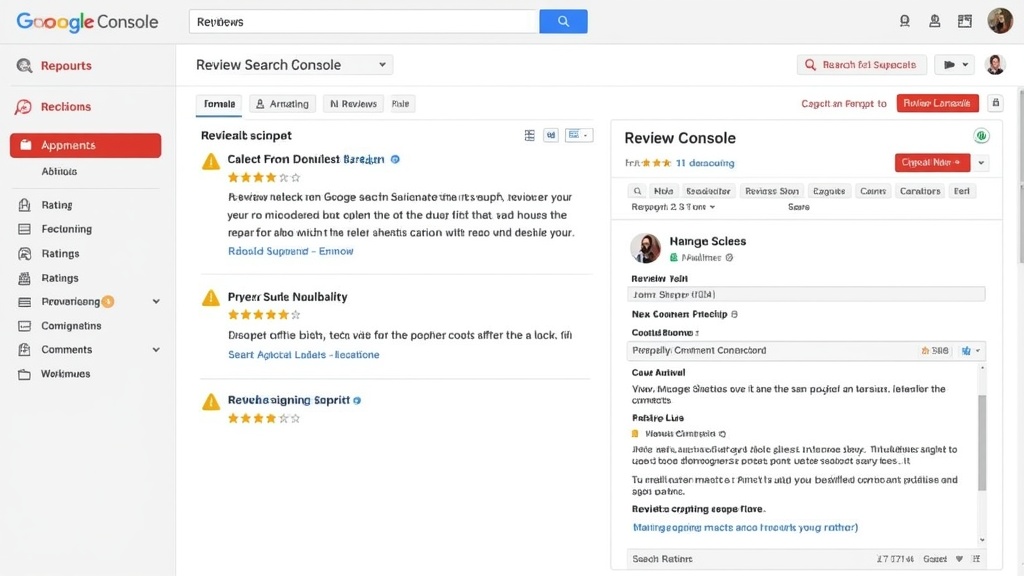
If you have implemented structured data on your website, checking the review snippet report in Google Search Console is the most effective way to ensure your ratings appear correctly in search results. Many site owners struggle to understand why their star ratings fail to display or why Google reports technical issues with their schema markup. This guide provides a clear, actionable path to navigate these reports, identify critical errors, and optimize your pages for better search visibility.
You will learn how to locate the Search Console enhancements dashboard, interpret the difference between warnings and errors, and use debugging tools to validate your code. By following these steps, you can confidently maintain healthy Review Snippets and improve your click-through rates. Whether you are managing an e-commerce store or a content-heavy blog, mastering this report is essential for maximizing the impact of your structured data implementation.
Understanding the Review Snippet Report
Quick answer: The review snippet report in Google Search Console provides a centralized dashboard to monitor the health of your structured data. By identifying technical errors and warnings, you ensure that your product or content ratings remain eligible for rich visual enhancements, which directly improves your visibility and click-through rates in Google Search results.
What is a Review Snippet?
A review snippet is a condensed summary of a rating or review from your website, frequently displayed as star ratings alongside your page title and meta description. This visual element is powered by structured data, specifically the AggregateRating or Review schema. When correctly implemented, these snippets provide users with immediate social proof before they even land on your site.
In practice, these snippets transform standard blue links into high-visibility entries. For instance, an e-commerce product page displaying a 4.8-star rating is statistically more likely to attract clicks than a competing page without any visible feedback. Because these elements occupy more vertical space, they effectively push competitors further down the screen, capturing a larger share of user attention.
Why monitor your ratings in Search Console?
Implementing schema markup is only the first step. Search engines are sensitive to code quality, and even minor syntax errors can cause your rich results to vanish overnight. Monitoring your schema markup through the dedicated enhancement report allows you to catch these issues before they impact your organic traffic. As a result, you maintain a consistent user experience and prevent unexpected drops in search performance.
Moreover, the report provides actionable insights into how Google perceives your content. If you have hundreds of pages, checking each one manually is impossible. The report aggregates data across your entire domain, highlighting specific URLs that fail to meet Google’s technical requirements. Therefore, this tool serves as a primary diagnostic dashboard for any site owner aiming to leverage Search Console enhancements to drive better engagement.
Finally, keeping this data healthy is a continuous process. Search requirements evolve, and what was valid last year might trigger a warning today. By regularly reviewing this section, you ensure your site remains compliant with the latest guidelines, effectively safeguarding your search appearance. In addition to technical health, this consistency helps build long-term trust with both search engines and your potential customers.
How to Access the Report in Search Console
Quick answer: To access the data, log in to your Google Search Console account and navigate to the “Enhancements” sidebar menu. Click on “Review snippets” to view the status of your schema markup. This dashboard provides a clear overview of valid pages, warnings, and critical errors affecting your search appearance.
Locating the Enhancements section
First, ensure you are logged into the property where you have implemented your structured data. On the left-hand side of the main dashboard, you will see a vertical navigation menu. Scroll down until you find the section labeled “Enhancements.”
In practice, this section only appears if Google has successfully detected at least one piece of supported structured data on your website. If you do not see this section, it is likely that your structured data has not been indexed yet or is not correctly implemented on your pages. Therefore, you should verify your site’s implementation using a testing tool before expecting data to populate in your account.
Navigating to Review Snippets
Once you have expanded the “Enhancements” tab, look for the “Review snippets” link. Clicking this will open the dedicated report. This specific review snippet report tutorial in Search Console is designed to help you monitor the health of your AggregateRating or individual review implementations.
After selecting this link, you will be presented with a graph showing the total count of valid and invalid pages over time. Below the graph, Google provides a detailed list of specific issues. For example, you might see “Missing field” errors or “Invalid object” warnings. By clicking on these specific issues, you can drill down into the affected URLs to identify exactly which pages require technical attention.
Moreover, this interface allows you to track the progress of your fixes. If you have previously addressed markup issues, you can use this view to confirm that the number of errors is decreasing. At the same time, keep in mind that data in this report is not updated in real-time. As a result, you may need to wait several days after making changes for the dashboard to reflect the current state of your site’s Search Console enhancements. Above all, consistency in your monitoring routine ensures that your site remains eligible for rich results.
Interpreting Report Data: Errors vs. Warnings
Quick answer: The report distinguishes between errors, which prevent rich snippets from appearing, and warnings, which suggest missing non-critical information. While errors demand immediate attention to restore visibility, warnings are best treated as optimization tasks. Following this review snippet report tutorial in Search Console helps you prioritize these technical fixes effectively.
What do error codes mean?
Errors represent significant failures in your structured data. When Google flags an error, it typically means a required field—such as the name of the item being reviewed or the reviewer’s identity—is missing or improperly formatted. As a result, the search engine cannot parse the information correctly, causing the page to lose its eligibility for rich snippets.
In practice, encountering an error requires a direct audit of your schema markup. You should inspect the specific URL highlighted in the report to see which element failed validation. Once you identify the culprit, you must update your code to meet the current requirements. After that, your page can be re-validated to confirm the fix has been successfully processed.
Addressing common warning messages
On the other hand, warnings are not necessarily blockers. They often indicate that your structured data is technically valid but lacks recommended properties. For example, a warning might suggest adding an image or a specific author field. Even with these warnings present, Google may still display your rating stars in search results.
However, ignoring these warnings is rarely the best strategy for long-term SEO. Although they do not immediately disable your snippets, providing complete data helps search engines better understand your content. Moreover, filling in these optional fields can make your listing more informative for users, potentially increasing your click-through rate. Therefore, treat warnings as a roadmap for improving the quality and depth of your site’s Search Console enhancements.
In addition to fixing technical issues, consistency is key. If you notice a high volume of warnings across your site, it often points to a template-level issue rather than a single page error. By correcting the source of the schema generation, you can resolve these warnings in bulk. Finally, always keep an eye on review markup errors to ensure your site remains compliant with evolving guidelines.
Troubleshooting Common Markup Issues
Quick answer: Troubleshooting starts by identifying missing mandatory properties like name or ratingValue within your structured data. Once identified, you must update your JSON-LD syntax to meet Google’s strict schema requirements. Regularly using this review snippet report tutorial in Search Console ensures your site remains eligible for rich results.
Missing required fields
In practice, the most frequent reason for errors in the review snippet report is the omission of mandatory fields. Google requires specific properties, such as itemReviewed, reviewRating, and author, to process your data correctly. If any of these are missing from your implementation, the report will flag the affected pages as invalid.
For example, if you provide an AggregateRating without specifying the ratingValue or reviewCount, the search engine cannot calculate the average score. Consequently, these pages will not display star ratings in search results. To resolve this, audit your template files to ensure your structured data outputs all necessary fields for every review instance.
Validating your JSON-LD code
After you have identified the missing fields, you must validate your code structure. Syntax errors, such as unclosed brackets or missing commas in your JSON-LD, will cause the entire script to fail. Even a minor typo can prevent the search engine from parsing your markup effectively.
Next, you should test your code using the official Rich Results Test tool. This step allows you to simulate how Google reads your page before you deploy the changes. By verifying the output in a controlled environment, you avoid common pitfalls that often trigger warnings in your Search Console enhancements dashboard.
Moreover, keep your schema implementation consistent across your site. If you use a plugin to generate your markup, ensure it is configured to include all required properties for every product or piece of content. In addition, periodically review your markup errors in the report to catch any discrepancies that may arise after site updates. Above all, maintaining clean and valid code is the most reliable way to sustain your visibility in search results over the long term.
Using the Rich Results Test Tool
Quick answer: The Rich Results Test is a companion utility that allows you to debug your schema markup in real-time. While the review snippet report in Search Console highlights site-wide trends and errors, this tool provides granular, page-level feedback to ensure your structured data is perfectly formatted before Google crawls your pages again.
Testing live URLs
When you identify a persistent issue within the Search Console dashboard, the next logical step is to isolate that specific URL. By inputting your page address into the Rich Results Test, you can simulate how Google’s crawler perceives your markup. This process is essential because it bypasses the reporting delay found in the main search console interface.
In practice, this tool flags missing required fields, such as an author name or an aggregate rating value, which are common triggers for errors. After that, you can confirm if the AggregateRating properties are correctly nested within your page’s HTML. This immediate feedback loop allows for rapid iteration and testing of potential fixes.
Debugging code snippets
Sometimes, your website might use dynamic content that is difficult to inspect via a standard live URL test. In that case, you can copy your raw JSON-LD code directly into the “Code” tab of the testing tool. This method is particularly effective for developers who want to verify schema logic without waiting for a server-side deployment.
Moreover, the tool highlights specific syntax errors, such as missing commas or unclosed brackets, which often break the entire structured data block. For example, if your review markup is missing the required “itemReviewed” property, the tool will point it out immediately. Therefore, combining this manual debugging with the broader Search Console enhancements report creates a comprehensive workflow. As a result, you minimize the risk of having invalid markup negatively impact your search visibility. Above all, verifying your code before pushing changes to production keeps your site’s health status clean and minimizes the need for repeated validation requests.
Validating Fixes and Re-crawling
Quick answer: After correcting your structured data, trigger a re-validation process by clicking the “Validate Fix” button within the report. Google will then re-crawl the affected URLs to verify the changes. This process is not instantaneous and typically requires several days or even weeks for the status to update across your property.
Once you have identified and corrected the errors flagged in your review snippet report, you must notify Google that the issues have been addressed. Simply editing the code on your server is not enough; the search engine needs to visit those specific pages again to confirm the schema markup is now valid.
The ‘Validate Fix’ button
Navigate to the specific error report in the “Enhancements” section. You will see a button labeled “Validate Fix.” When you click this, Google initiates a process where it prioritizes re-crawling the URLs previously marked as invalid. In practice, this action serves as a signal to the crawler that your technical team has performed maintenance on the site structure.
However, be aware that this button only appears if there are active errors. If you only have warnings, you might not see this option. In that case, the system will naturally pick up your changes during its regular crawling cycle. For example, if you updated your product structured data to include a missing required field, the validation process ensures the “Error” status is cleared from your dashboard once the crawler verifies the fix.
Monitoring re-crawl progress
After requesting validation, the report will enter a “Pending” state. You should monitor this status regularly, as the time required for completion depends on your site’s crawl budget and the number of pages affected. Moreover, it is common for the process to take a few days to reflect accurately in the interface.
At the same time, keep an eye on your server logs or the “Crawl stats” report to see if Googlebot is actively visiting the corrected URLs. If the status remains “Pending” for an extended period, ensure that your pages are not being blocked by robots.txt or experiencing server-side errors that prevent the bot from accessing the updated code. As a result, maintaining a healthy crawl environment is just as important as the code implementation itself.
Finally, once the validation is successful, the pages will move from the “Invalid” category to the “Valid” section of your report. If the validation fails, Google will provide updated details on why the markup is still considered incorrect. In that case, you should return to your code, review the official documentation, and perform another round of debugging.
Best Practices for Review Structured Data
Quick answer: To maintain healthy schema, ensure your structured data remains consistent with the visible content on your pages. Regularly audit your implementation using the review snippet report to catch discrepancies early, avoid policy violations, and ensure your ratings continue to appear in search results.
Keeping data consistent
Consistency is the foundation of effective schema maintenance. In practice, the information contained within your JSON-LD must mirror the content displayed to users on the actual webpage. For example, if your structured data claims a five-star rating, the page itself should clearly display those same stars or user reviews.
Moreover, search engines prioritize accuracy when determining eligibility for rich results. If your backend markup frequently drifts from your frontend presentation, Google may stop showing your snippets altogether. Therefore, I recommend performing a site-wide audit every time you update your theme or plugins to ensure no data fields were dropped during the transition.
Avoiding common policy violations
Google enforces strict quality guidelines for review markup to prevent spam. Above all, you must avoid self-serving reviews where a business creates ratings for its own products or services. In that case, the system may flag your site, leading to manual actions or the permanent removal of your snippet eligibility.
In addition, ensure that your structured data is placed only on relevant pages. For instance, do not apply product review schema to your homepage or contact pages. Keeping your implementation focused and transparent ensures that your review markup errors remain at a minimum while building long-term trust with search algorithms.
Still, technical maintenance is only half the battle. After that, you should document your schema implementation process within your team. By creating a standardized template for how you handle Search Console enhancements, you minimize the risk of human error during future content updates. As a result, your site remains optimized for visibility without requiring constant emergency fixes.
Monitoring Performance Beyond Errors
Quick answer: The review snippet report extends beyond mere technical debugging by revealing how your schema impacts visibility. By integrating this data with the performance tab, you can correlate valid structured data with actual user engagement, helping you measure the direct impact of rich results on your site’s organic traffic and click-through rates.
Tracking impressions for snippets
Technical health is only the first step in your SEO strategy. Once you verify that your AggregateRating markup is error-free, you should examine how these results appear in the wild. In practice, you can navigate to the Performance report within Google Search Console and apply a filter for “Search appearance.”
By selecting the “Review snippet” filter, you isolate traffic data specifically for pages where Google successfully rendered your ratings. For example, if you notice a high volume of impressions but a low number of clicks, it may indicate that your average rating score is not competitive enough compared to other results on the page. Therefore, the report serves as a diagnostic tool for both technical implementation and content quality.
Analyzing click-through rates
Monitoring your click-through rate (CTR) is essential to understanding the business value of your schema. When your stars appear in search results, they often occupy more vertical space and draw the eye, which usually leads to higher engagement. On the other hand, a decrease in CTR despite having valid markup might suggest that your title tags or meta descriptions need optimization to better complement the visual appeal of the review stars.
Moreover, you can compare the performance of pages with review snippets against those without them. In many cases, pages displaying rich results show significantly higher engagement metrics. As a result, you should prioritize fixing any warnings identified in your review snippet report to ensure that every eligible page contributes to your total visibility. Above all, treat these metrics as a feedback loop that informs your broader Search Console enhancements strategy.
In addition to tracking clicks, observe the “Position” metric alongside your appearance filters. Sometimes, a site might gain a better position precisely because the structured data improves the relevance and quality of the search result for the user. Consequently, maintaining a clean technical report is not just about avoiding errors; it is a vital component of maximizing your search visibility and driving consistent growth.
Proximo passo
Now that you understand how to navigate and interpret your report, take a moment to log into your Search Console account and check your current status. If you find errors, prioritize them based on your most important traffic-driving pages.
If your site is clean, consider refining your overall performance strategy to maximize your visibility. Should you need further guidance on implementing structured data across your entire site, feel free to explore our other technical SEO resources.
